XGTBATTLEPASS UI
Opening the UI
Everything required to make the UI appear on the client.
Install the resource pack
Place the pack (and its .key file) in your server's
resource_packs/ folder and register it in resource_packs.yml.
Every player must have the pack applied.
Create the inventory
Open a double-chest inventory (54 slots) for the player. Any virtual-inventory library works: InvMenu on PocketMine-MP, FakeInventories on PowerNukkitX.
UI Legend
Each screenshot in the guide is annotated with numbered pins. Hover or tap a pin to highlight its explanation. The full guide annotates nine screens this way; here is the first one.
Main screen
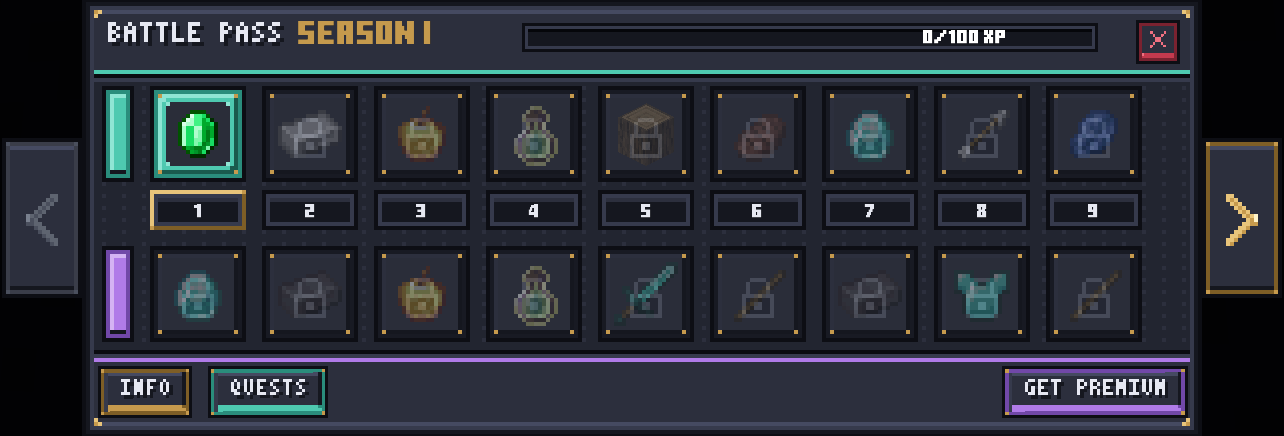
Click the image to enlarge.
The season text you choose is the only part of the title the player reads. The guide gives you the exact position it takes.
A plain item name you rewrite as the player earns XP. The guide names the slot it lives in and the format it expects.
Pages back through the tiers. The guide lists the index it reports to your plugin and what you redraw after a press.
Pages forward. Same handling as the arrow on the left, with the page count and the clamping rule spelled out in the guide.
The XP bar, the free and premium reward rows, the tier numbers, and the INFO, QUESTS and GET PREMIUM triggers each get their own pin in the full guide, with the slot they live in and the marker that drives them.
What is in the full guide
- Slot Map - all 54 slots, what each one holds and which ones must never be air.
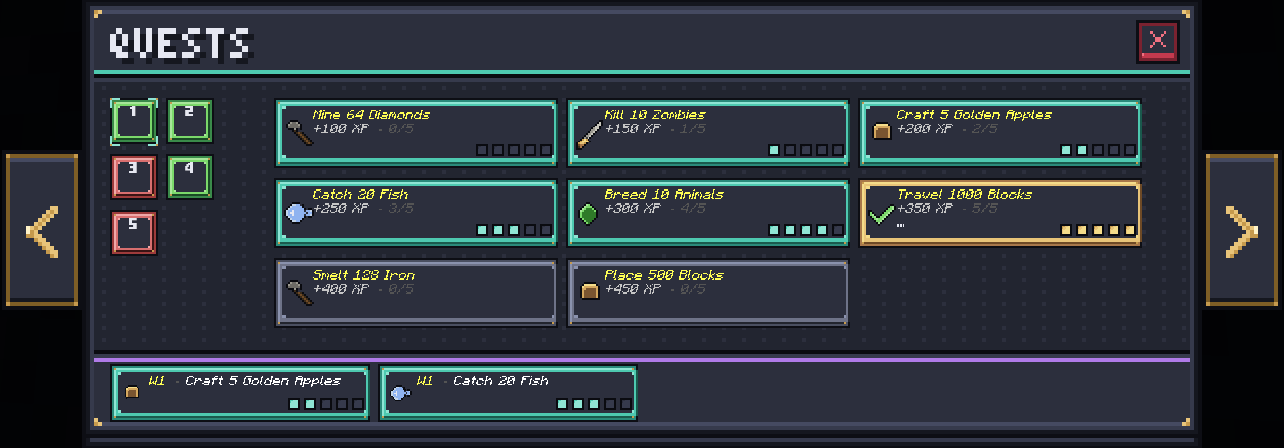
- Nine annotated screens - tier pages, XP and claim states, INFO, QUESTS, week tabs, unlock premium, confirm purchase, premium active.
- Markers & Flags - the full table: XP bar codes, page markers, state markers.
- Click Routing - which slots report a click to your plugin and which are handled by the pack alone.
- Code Examples - working snippets for PocketMine-MP and PowerNukkitX.
- Gallery - every screen at full size.